
Data Quality Agent: Use Cases & Domain Standards
Enterprise data architectures require robust validation frameworks to ensure that analytical reports, machine learning models, and executive dashboards run on accurate and trustworthy data. The Data Quality Agent ensures data trust by aligning validation rules with seven critical dimensions of data quality and supporting leading enterprise validation frameworks.
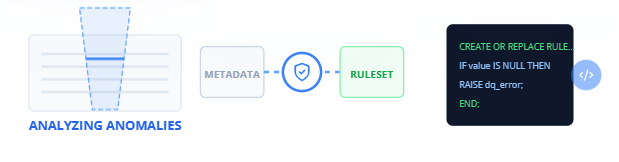
Supported Data Quality Dimensions
The Data Quality Agent structures every validation check around seven core pillars of data quality. These dimensions ensure that your data is structurally sound, logically correct, and reliable:
1. INTEGRITY
Integrity rules guarantee that relationships between tables remain intact and that schemas conform to structural constraints.
- Referential Integrity: Verifies that foreign keys (such as
customer_idorproduct_id) exist in their respective parent dimension tables. - Structural Consistency: Enforces schema definitions, character length constraints, and data type compliance across database tables.
- Key Preservation: Confirms that primary keys are not overridden or orphaned during complex merge operations.
2. TIMELINESS
Timeliness rules monitor the operational latency of your pipelines, ensuring data is available within agreed-upon service level agreements (SLAs).
- Data Refresh Windows: Checks that batch files or streaming records arrive within specified intervals (e.g., daily imports complete by 06:00 AM UTC).
- Processing Latency: Tracks the duration between a record's event timestamp (creation time) and its ingestion timestamp.
- SLA Violations: Flags delays or missing updates in source systems to prevent downstream dashboards from displaying stale data.
3. COMPLETENESS
Completeness rules verify that datasets do not contain unexpected missing records or null values.
- Nullability Verification: Enforces that critical columns (such as
transaction_id,user_id, oramount) never contain null values. - Row Volume Monitoring: Evaluates whether the number of rows processed in a run falls within historical averages, flagging sudden drops in volume.
- Blank Value Checking: Identifies fields that are technically populated but contain empty strings or whitespace.
4. ACCURACY
Accuracy rules ensure that values match real-world business realities and logical bounds.
- Numeric Boundary Enforcement: Validates that numeric columns fall within acceptable logical ranges (e.g.,
transaction_amountmust be greater than zero, anddiscount_percentcannot exceed 100%). - Logic Checks: Cross-references fields to ensure mathematical truth (e.g.,
net_amountmust equalgross_amountminustax_amount). - Statistical Outliers: Pinpoints records with values that deviate significantly from standard deviations, identifying potential entry errors.
5. CONSISTENCY
Consistency rules ensure that data is uniform across different systems, tables, and time periods.
- Cross-System Sync: Confirms that total sales metrics in the staging warehouse match the raw transactional counts from the source CRM database.
- Internal Logic Consistency: Validates that if a customer is flagged as "Inactive," their
active_subscription_countmust be zero. - Format Standardization: Enforces that enumerations and code values (such as country codes or status flags) match predefined master lists.
6. UNIQUENESS
Uniqueness rules prevent duplicate records from corrupting analytical reporting and causing double-counting errors.
- Primary Key Integrity: Assures that primary key columns containing identifier values (such as
customer_idortransaction_id) contain zero duplicate values. - Composite Key Validation: Enforces uniqueness across combinations of columns that together form a unique identifier (e.g.,
store_idcombined withbusiness_date). - Deduplication Check: Flags identical rows that have been ingested multiple times due to retries in upstream pipelines.
7. VALIDITY
Validity rules confirm that text patterns and values comply with standard business formats.
- Regular Expression Matching: Validates formatting rules for structured strings, including email addresses, phone numbers, zip codes, and credit card numbers.
- Date Format Verification: Confirms that string-represented dates follow standard ISO 8601 formats (
YYYY-MM-DD). - List and Domain Validation: Ensures that column values belong to a static set of allowed values (e.g.,
statusmust be one of 'PENDING', 'APPROVED', or 'REJECTED').
Core Enterprise Use Cases
The Data Quality Agent resolves critical operational, analytical, and governance challenges by applying these seven validation dimensions.
1. Ingestion Pipeline Gatekeeping
Prevent corrupt or incomplete data from polluting clean analytics tables.
- Active Validation Gates: Embed the agent's generated SQL assertions or Great Expectations code directly after your raw ingestion steps.
- Pipeline Isolation: If validation fails on critical dimensions like UNIQUENESS or COMPLETENESS, the run is isolated, alerts are dispatched, and processing halts before downstream tables are corrupted.
- Benefits: Eliminates the "garbage in, garbage out" cycle by blocking bad data at the door.
2. Regulatory Compliance Reporting
Prove to financial or health authorities that data is completely accurate and auditable.
- Traceable Validation Logs: Run validation sweeps on all compliance reports prior to publication, capturing the pass/fail results.
- Audit Trails: Maintain history profiles showing that fields conform to ACCURACY and VALIDITY rules, simplifying regulatory audits.
- Benefits: Avoids compliance fines and manual auditing overhead.
3. Business Logic Regressions
Catch changes in source systems that violate upstream expectations.
- Behavior Change Alerts: When an upstream CRM system alters its format (e.g., starts writing country names instead of country codes), the agent's VALIDITY checks catch the change instantly.
- Immediate Pinpointing: Flags the exact records and attributes that violate the rules.
- Benefits: Enables data engineers to resolve API and schema shifts before they impact customer-facing reports.
Step-by-Step Implementation Guide for Quality Rules
Follow this workflow to configure and implement quality rules for your tables:
Step 1: Connect Your Data Schema
Paste your schema definition (DDL or CSV sample) into the agent's interface. The agent profiles the schema to identify column types, nullability, and primary key candidates.
Step 2: Select Target Quality Dimensions
Determine which dimensions are critical for your target dataset. For transactional tables, you will typically activate all seven dimensions (INTEGRITY, TIMELINESS, COMPLETENESS, ACCURACY, CONSISTENCY, UNIQUENESS, and VALIDITY).
Step 3: Define Quality Goals in Plain English
Instruct the agent using plain business terminology. For example: "Enforce that transaction dates are never in the future, the store ID must exist in store lookup tables, and the transaction ID must be unique."
Step 4: Review the Synthesized Rules
The agent compiles your prompts into structured rules, mapping each constraint to a specific validation category. Review the rules to confirm that the business logic was translated accurately.
Step 5: Export and Run
Generate the testing code (such as SQL statements or Great Expectations suites) and paste it into your data runner. The rules will now validate every row on subsequent runs.
Benefits: What Makes It Good?
- Total Structural Assurance: Covers all seven key dimensions of data quality, preventing silent data corruption across pipelines.
- Code-Free Rule Definition: Empowers data stewards and analysts to establish complex rules without writing complex Python or SQL code.
- SLA and Delay Protection: Built-in TIMELINESS validation flags latency issues before users complain about stale dashboards.
- Flexible Implementation: Exports logic to multiple execution targets, fitting into both modern cloud pipelines and legacy database scripts.